Stop Busy-Working: The Developer Productivity Playbook for 2026
Most developers confuse being busy with being productive. Here's the honest, battle-tested playbook to ship more, stress less, and reclaim your deep focus.

On This Page
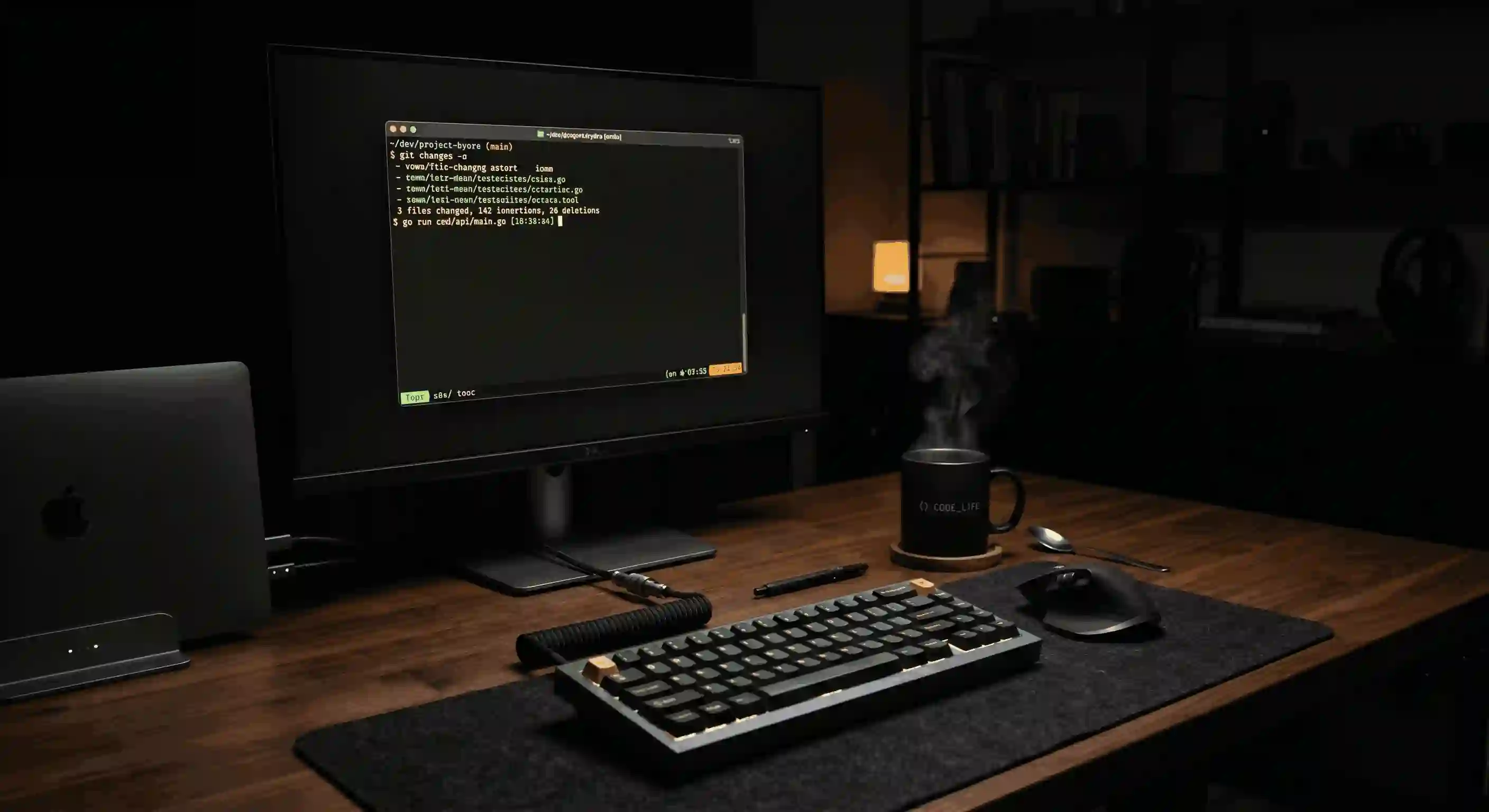
There’s a certain type of developer who’s always on. Slack pinging every 4 minutes. Calendar blocked wall-to-wall. GitHub commits trickling out at 11 PM. They look productive. They feel productive. But at the end of the sprint, they’re not shipping any more than the person who took a long lunch and left at 5.
Sound familiar? You’re not alone — and the fix isn’t more hustle.
This is a playbook built on hard-won experience, real research, and the uncomfortable truth that most “productivity” is just expensive theater.
The Lie We Tell Ourselves About Busyness
Let’s start with a number: $85 billion.
That’s the estimated annual cost of interruptions in the US software industry, according to research from the University of California, Irvine. The same study found it takes an average of 23 minutes and 15 seconds to fully regain your focus after an interruption.
Now count how many times you’ve been interrupted today.
The Multitasking Myth
Cognitive science has been saying this for decades: multitasking doesn’t exist. What your brain actually does is context-switch — and every switch costs you. For knowledge workers doing complex tasks (like writing code), the cognitive tax is severe.
The modern dev environment is architected against deep focus. Open offices, always-on Slack, pull request pings, standup at 9 AM, “quick sync” at 2 PM — it adds up to a workday riddled with holes. You spend 8 hours at your desk and get maybe 90 minutes of real thinking done.
The goal of this playbook isn’t to add more to your plate. It’s to ruthlessly protect what matters: unbroken blocks of time where your brain can actually solve hard problems.
Part 1: Engineer Your Environment Before You Engineer Anything Else
Your physical and digital environment is either your biggest productivity asset or your biggest liability. Most developers treat it as an afterthought.
Tame Notifications Like a Senior Engineer
Here’s a rule: anything that can interrupt you asynchronously should be checked asynchronously.
That means:
- Slack: Set to Do Not Disturb during your focus blocks. Check it twice a day on a schedule, not reactively.
- Email: Same. Twice a day is plenty — once at 10 AM, once at 3 PM. Your inbox is not a chat app.
- GitHub notifications: Filter ruthlessly. You don’t need to know the second someone leaves an emoji reaction on a comment thread.
- Your phone: Put it in another room. Not on silent — in. another. room.
Pro Move: The Notification Audit
Open your phone settings right now and count the number of apps with notification permissions. The average American has 40+ apps with notifications enabled. Revoke all but 5. You’ll feel anxious for 48 hours, then you’ll feel free.
Design a Workspace That Signals “Focus Time”
Your brain is incredibly responsive to environmental cues. If you always code at a clean desk with headphones on, your brain starts to associate that setup with deep work. Use it.
- Same spot, same ritual. Make your setup consistent — same time, same physical space when possible.
- Use a focus playlist. Instrumental music (lo-fi, jazz, classical, ambient) masks distracting background noise without adding linguistic cognitive load. Avoid anything with lyrics when you’re writing code.
- The browser tab problem. Keep only what you need open. A tab hoarder is a focus hoarder. Consider Arc Browser or a dedicated focus extension like One Tab.
Part 2: Block Time Like You Mean It
Time blocking is the closest thing to a silver bullet in productivity research. Cal Newport built a career on this idea, but developers rarely apply it with rigor.
The concept is simple: instead of working from a to-do list and reacting to what feels urgent, you assign every hour of your workday to a specific task in advance.
A Dev-Specific Time Blocking Template
Here’s a template that works well for individual contributors on typical US tech teams:
08:30 – 09:00  │  Daily planning + review yesterday's work
09:00 – 11:30  │  🔴 DEEP WORK BLOCK #1 (no meetings, no Slack)
11:30 – 12:00  │  Slack/email catchup + PR reviews
12:00 – 13:00  │  Lunch (actually take it)
13:00 – 14:00  │  Meetings / standups / syncs
14:00 – 16:00  │  🔴 DEEP WORK BLOCK #2
16:00 – 16:30  │  Code review + respond to async threads
16:30 – 17:00  │  Plan tomorrow, close all tabs, log off
Negotiate Your Calendar
You have more calendar agency than you think. Most “mandatory” recurring meetings can be moved, shortened, or eliminated. Start by auditing every recurring event — if you can’t articulate the specific outcome it produces, propose canceling it.
Protect Your “Maker’s Schedule”
Paul Graham’s famous 2009 essay introduced the Maker’s Schedule vs. Manager’s Schedule framework, and it’s still the most useful mental model for developers fighting for focus.
- Managers work in 1-hour slots. Interruptions are their job.
- Makers (developers, writers, designers) need half-day blocks minimum to do real creative work.
A single meeting in the middle of the afternoon doesn’t just cost you 1 hour — it splits your afternoon into two smaller blocks, neither of which is long enough for deep work. That 2 PM standup? It’s quietly destroying your whole afternoon.
Whenever possible, stack meetings at the edges of your day — early morning or late afternoon — and guard the middle like it’s sacred.
Part 3: The Tools Stack That Actually Moves the Needle
Let’s be real: most “productivity tools” are productivity theater. You spend more time configuring them than you save using them.
Here are the tools worth the investment — and how to use them without falling into the setup rabbit hole.
Terminal & Editor: Stop Switching, Start Mastering
The productivity gap between a developer who knows their editor and one who just uses it is enormous.
The Cost of Reaching for the Mouse
# ❌ Slow: navigating with a mouse, clicking through menus
# Average: ~1.5 seconds per action
# 100 file navigations/day = 2.5 minutes just in mouse clicks
# ✅ Fast: keyboard-first workflow in Neovim / VS Code with Vim keybindings
# Average: ~0.2 seconds per action
# 100 navigations = 20 seconds
# Net savings: ~2+ minutes/day = ~8 hours/year from just THIS ONE HABIT
You don’t have to switch to Neovim to get this. Enable Vim keybindings in VS Code and spend two weeks with them. The muscle memory investment pays compound returns for the rest of your career.
Recommended minimum-viable tools stack:
| Tool | Purpose | Why It’s Worth It |
|---|---|---|
ripgrep (rg) | Code search | 10-100x faster than grep |
fzf | Fuzzy file finder | Navigate any codebase in seconds |
tmux or zellij | Terminal multiplexer | Sessions survive disconnections |
gh CLI | GitHub from terminal | PRs, issues, reviews without leaving your flow |
lazygit | Visual Git TUI | Git superpowers without the memory tax |
AI Coding Assistants: Amplifier, Not Replacement
GitHub Copilot, Cursor, and their siblings are the most overhyped and simultaneously most underutilized productivity tools in the industry right now. Most developers either lean on them too much (and stop thinking) or dismiss them entirely.
The productive middle ground:
- Use AI for boilerplate and scaffolding. Let it generate the 30-line CRUD function you’ve written 200 times. You’re not losing “practice” — you’re buying time for harder problems.
- Never accept the first output. Read it. Understand it. Modify it. An accepted suggestion you don’t understand is technical debt with extra steps.
- Use it for tests. Generating unit tests is one of the highest-ROI uses of AI assistance — it’s tedious work developers routinely skip, and AI does it tolerably well.
The Autopilot Trap
There’s a real cognitive risk in over-relying on AI autocomplete. Research from MIT (2023) suggested that developers using AI assistance on complex problems scored lower on retention of the solution afterward. Use it as a collaborator, not a ghostwriter.
Part 4: The Async-First Mindset
If you work on a distributed team — or even a hybrid one — defaulting to synchronous communication is one of the most expensive habits you can have.
Every “quick call” that could have been an async Loom video or a well-written Slack message is stealing focus time from two people, not one.
The Async Communication Hierarchy
Use this decision tree before scheduling any meeting or sending a message:
Can this wait 4 hours?
    │
    ├─ YES → Write it up. Async message, doc, or Loom.
    │
    └─ NO  → Is it truly urgent AND complex?
                 │
                 ├─ YES → Short, time-boxed call. 25 min max.
                 │
                 └─ NO  → You probably answered your own question.
                           It can wait.
The golden rule of async communication: if your message requires more than 3 back-and-forth exchanges to resolve, write a doc instead. Discussions that happen in long Slack threads should have happened in a Google Doc with comments.
Write Better PRs, Get Fewer Interruptions
Nothing generates more “quick questions” than a vague pull request description. Invest 10 minutes writing a clear PR template and you’ll reclaim hours of interrupt-driven clarifications every week.
A great PR description answers:
- What changed and why (not just the what — the why)
- How to test it (screenshots, curl commands, test paths)
- What to watch for during review (the tricky edge case, the borrowed approach)
- What’s out of scope (so reviewers don’t open rabbit holes you’ve consciously deferred)
Part 5: Your Body Is Part of Your Stack
This section gets cut from most productivity posts because it sounds soft. It isn’t.
Your brain runs on biology. Sleep deprivation, dehydration, and sedentary hours have measurable, documented impacts on code quality and problem-solving speed. You can have perfect time blocks and zero Slack notifications, and still output garbage if you’re running on 5 hours of sleep and your third energy drink by noon.
The Non-Negotiables
- Sleep 7–9 hours. Not aspirationally. Actually. This is the single highest-ROI “productivity hack” and it’s free. Sleep deprivation reduces cognitive performance the same way alcohol does — and unlike alcohol, you don’t notice when you’re impaired.
- Move your body. 20–30 minutes of exercise produces measurable boosts in working memory, creativity, and focus that last for hours. Walk during your lunch break. It’s not wasted time; it is work.
- Eat before you’re hungry, drink water before you’re thirsty. Decision fatigue is real. A 2% drop in hydration measurably impairs short-term memory and concentration.
The Pomodoro Technique Is More Than a Timer
The real value of Pomodoro-style work intervals (25 min work / 5 min break) isn’t the timer — it’s the permission structure. It tells your brain “focus intensely for a finite, safe period.” Many developers find 50/10 splits work better for deep coding sessions.
The Productivity Anti-Patterns to Drop Right Now
Before we close, here’s a quick hit list of patterns that feel productive but quietly drain you:
- Checking email first thing in the morning. You’re handing control of your first — and best — cognitive hours to other people’s agendas.
- Keeping your IDE open 24/7. Cognitive closure matters. A hard stop time creates psychological separation between work and rest.
- Measuring productivity by lines of code or commit count. These are vanity metrics. The best day of work you’ll ever have might produce 50 lines. Or a deletion of 2,000.
- Grinding through a blocker alone for hours. After 30 minutes stuck, ask for help. Pride is not a productivity strategy.
- Skipping the documentation. The 15 minutes you save not documenting will cost you or your teammates 3 hours next month. Write the comment. Write the README.
The One Thing
If you take nothing else from this post, take this:
Your most valuable resource isn’t your tools, your tech stack, or your time. It’s your focused attention. Treat it like the finite, irreplaceable asset it is.
Every notification permission you revoke, every unnecessary meeting you cancel, every well-timed lunch break you actually take — you’re not being lazy. You’re being strategic. You’re making room for the kind of work that actually moves things forward.
Ship less noise. Ship more signal. Go take a walk.
Have a productivity pattern that changed how you work? Drop it in the comments — the best systems I’ve learned came from other developers sharing their honest workflows.
Keep Reading on TraceRoute X
- 🤖 Google Antigravity: The Agentic IDE That Changes How We Build Software — The AI tool mentioned in Part 3 is here. See how agentic development redefines what a solo developer can ship.
- 🌐 Web Development in 2026: The Era of Intent Over Implementation — The technology landscape that makes these productivity skills essential. Ten trends shaping the industry.